Need help? Contact us anytime
(347) 997-1661 Submit a Request
InboxAlly
  • Home
  • Features
  • Pricing
  • Blog
  • Log In
Knowledge Base / Integrations

Integrate Mailchimp with InboxAlly

By Eric J · Updated March 5th, 2026 · Integrations

If you have a Mailchimp account, add Mailchimp connectivity to your InboxAlly account to pass your Mailchimp contacts to InboxAlly. This allows you to take advantage of our list cleaning functionality and automatic seed balancing.

In this article, you’ll learn how to enable InboxAlly to read your Mailchimp contacts.

Before You Start

Here are some things to know before you begin this process.

  • This article is about how to allow InboxAlly to read your Mailchimp contacts.
  • You must have a Mailchimp account to complete this process. To sign up, visit mailchimp.com.
  • Mailchimp offers lots of documentation about integrations and the access they allow here.
  • For more details on setting up connections, see the Integrations Guide.

Connect InboxAlly with your Mailchimp account

You'll need to authorize a connection between InboxAlly and Mailchimp.

To connect your Mailchimp account follow these steps.

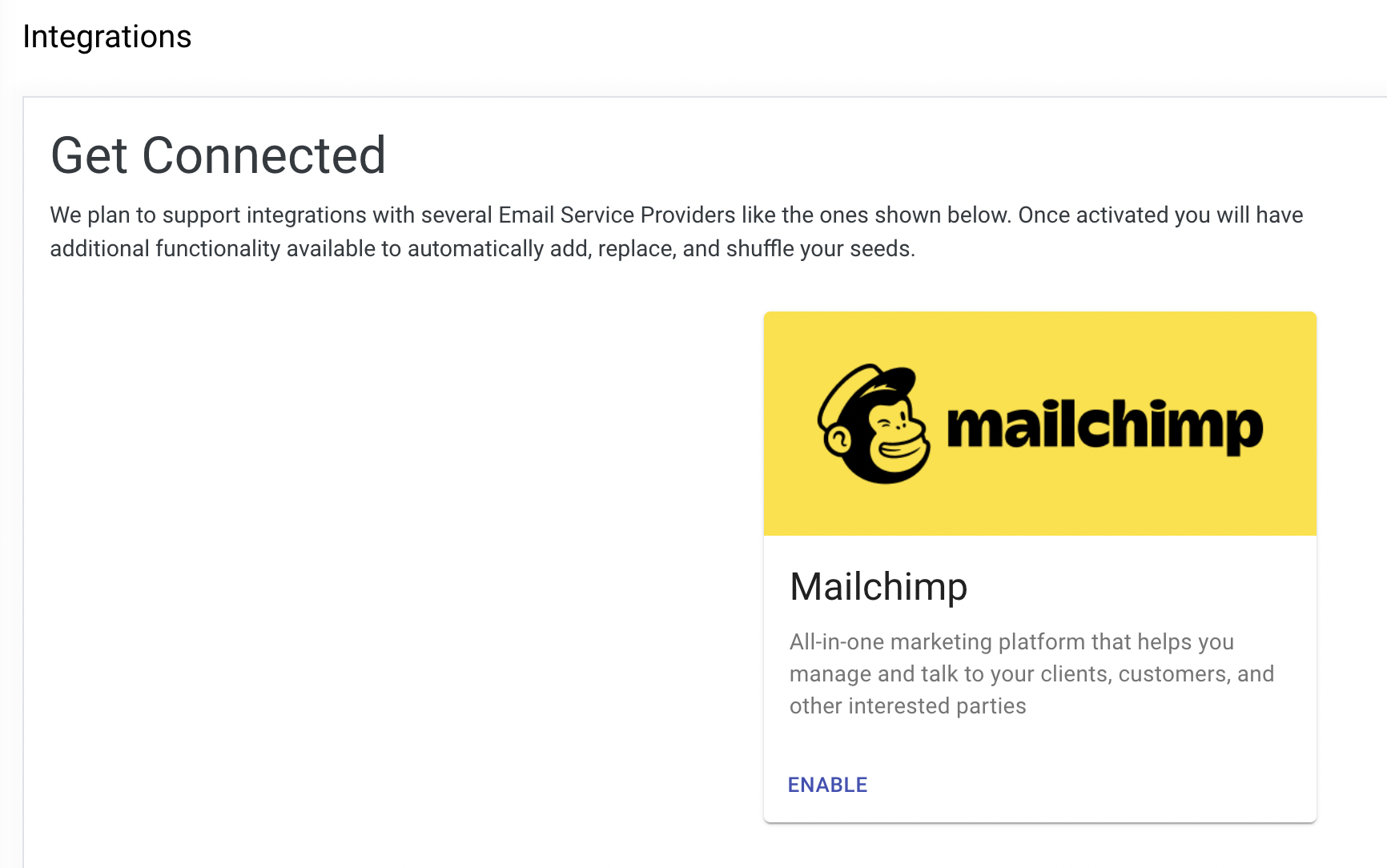
  1. Click Integrations option under the MyAccount section
  2. Click Enable on the Mailchimp card to setup the connectionIntegrations page showing Mailchimp integration card with description and Enable button.
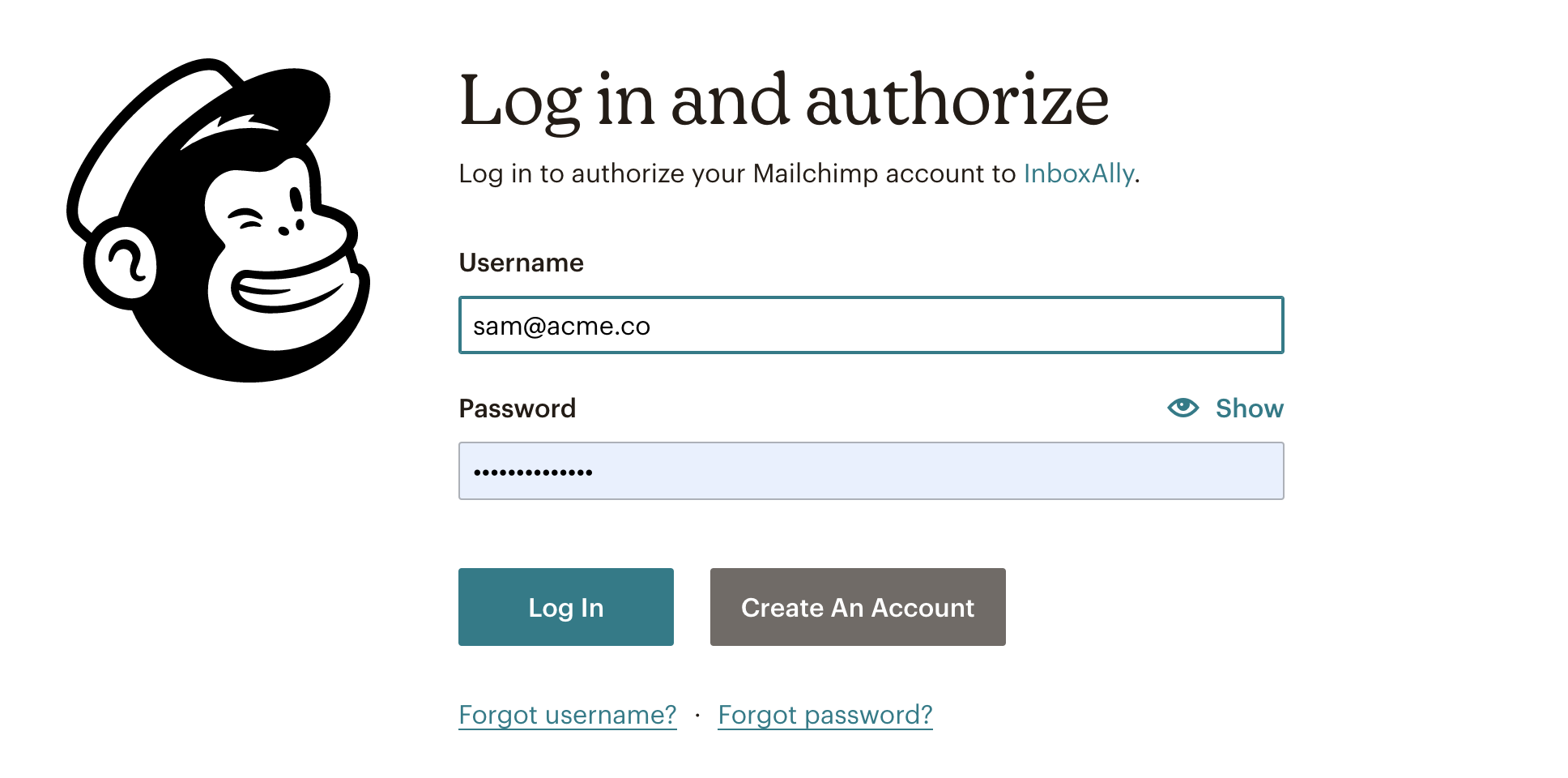
  3. Enter your Mailchimp credentialsMailchimp login and authorization page with username, password, Show toggle, and Log In button
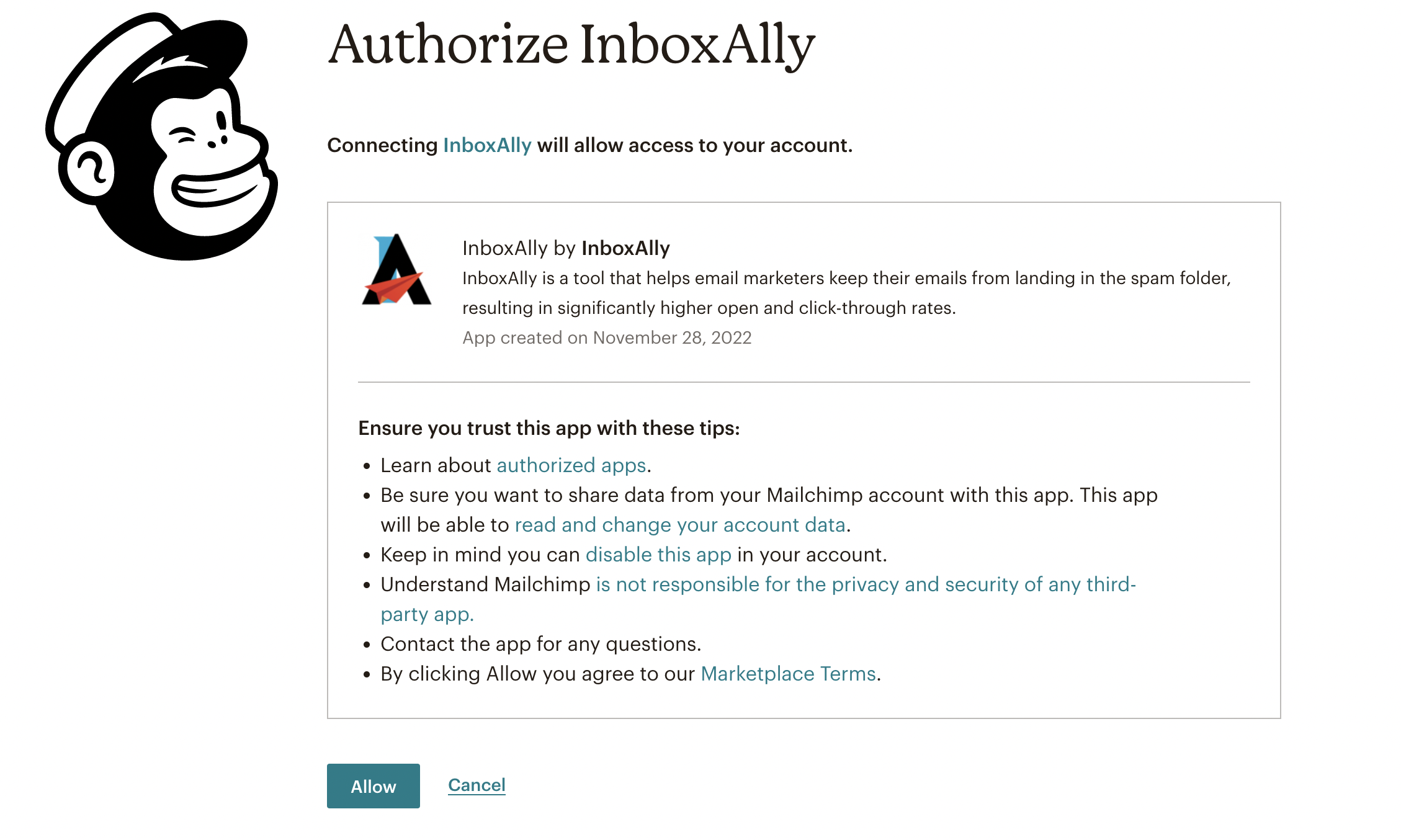
  4. Authorize the IntegrationMailchimp Authorize InboxAlly screen showing app details and Allow and Cancel buttons.

You'll return to your InboxAlly account and see that the connection is now enabled.

Was this article helpful?

Give feedback about this article

Search Articles

    No results found. Contact support for help.

    Related Articles

    Integrate AWeber with InboxAlly Integrate GetResponse with InboxAlly Integrate Google Postmaster Tools with InboxAlly Integrate HubSpot with InboxAlly Integrate Klaviyo with InboxAlly View all Integrations →

    Browse Topics

    Getting Started Email Authentication & DNS Warm-Up & Sending Strategy Provider Deliverability Guides Troubleshooting & Recovery Reports & Metrics Compliance & Industry Updates Programs & Certification Integrations

    Still need help?

    Our deliverability experts are here to help you reach the inbox.

    Contact Support Book a Demo
    InboxAlly

    The Ultimate Email Deliverability Tool. Reach the inbox, not the spam folder.

    Product

    Features Pricing Case Studies Blog

    Support

    Knowledge Base Contact Us Book a Demo Support

    Company

    About Us Affiliate Program Terms Privacy
    © 2026 InboxAlly Inc. · 1178 Broadway, 3rd Floor #1166, New York, NY 10001 (347) 997-1661

    Definition by Author

    0
    0
    Expand